Set the Word Count Limits You Need
- Set word count limits on supported Gravity Forms fields. Use a minimum, maximum, or both.
- Keep fields within the maximum word count. Extra words are blocked as people type or paste.
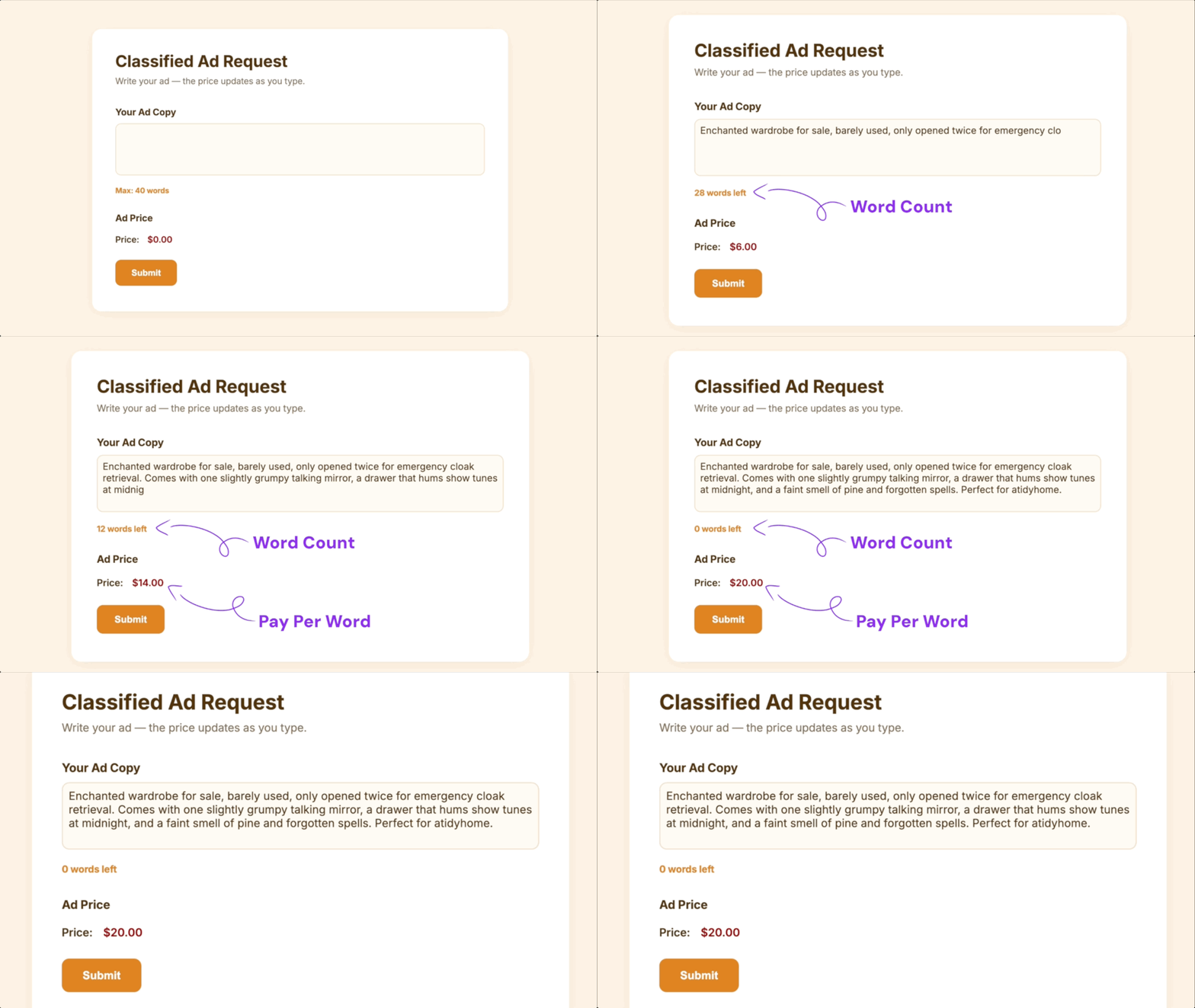
- Set word limits and charge by the word. Word Count handles the limits while Gravity Forms Pay Per Word handles the per-word pricing.
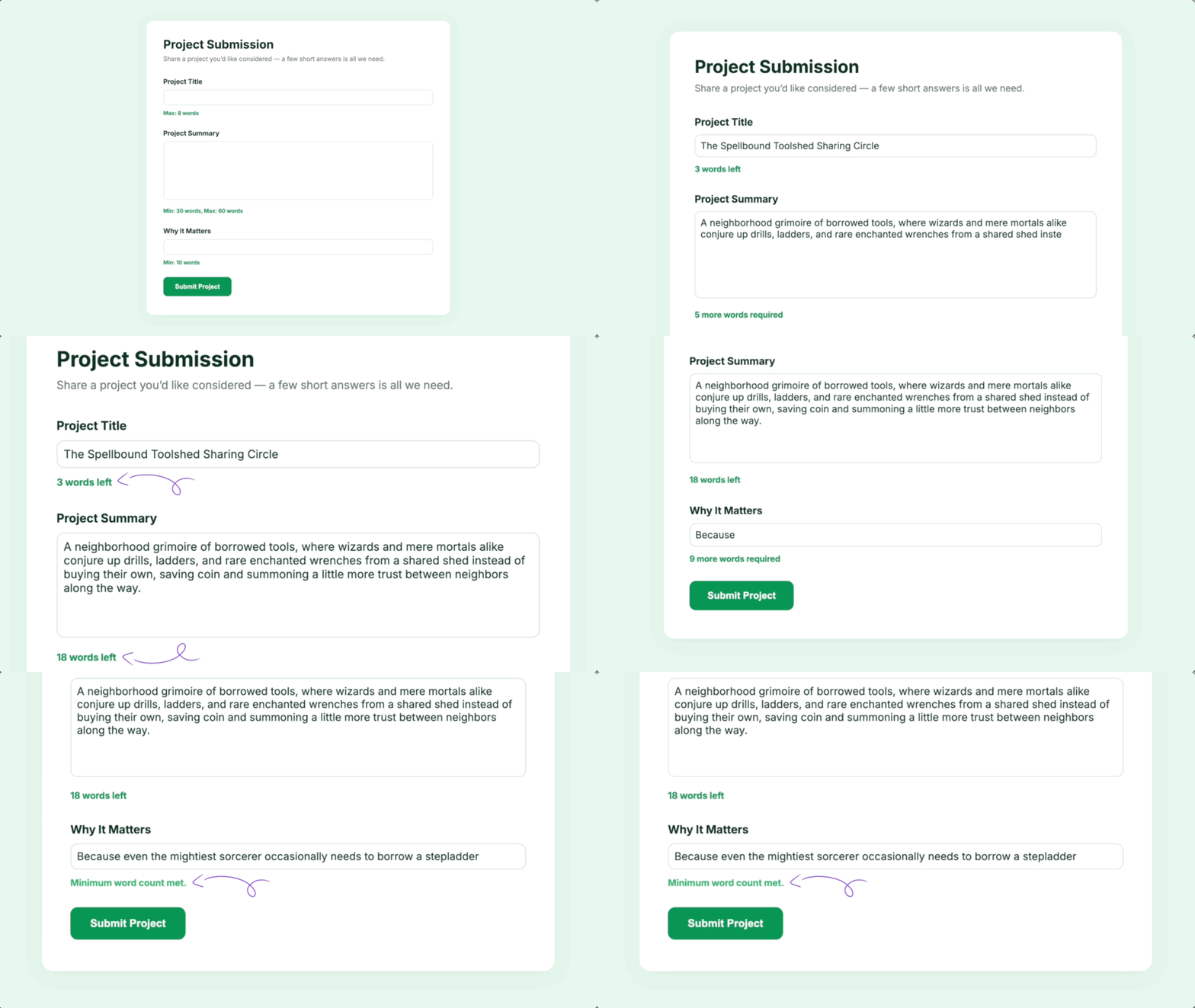
Give Each Field Its Own Word Limits
Set a minimum, maximum, or both on Single Line Text, Paragraph, Post Body, or Post Excerpt fields.
Charge by the Word, Up to Your Word Count Limit
Set a maximum with Word Count while Gravity Forms Pay Per Word calculates the price from the number of words entered.
Word Count Works Well For:
- Award nominations. Set word limits for achievements and supporting comments.
- Hiring and applications. Keep job descriptions and application responses within word count limits.
- Surveys and feedback. Limit open-ended responses by word count.
Gravity Wiz Supports Over 150,000 WordPress Websites

Made by Gravity Forms Developers 
🧑💻 Our founder helped build Gravity Forms. And now, we’re certified developers.
🚀 14 years shipping Gravity Forms add-ons.
🤝 Legendary support you can count on from real experts. See for yourself.
✨ Something new every week. 70+ plugins and counting, dozens of free ones.
🛡️ Zero risk to use. Try it for 30 days — if it’s not right for you, we’ll refund it.

Get Gravity Forms Word Count
Gravity Forms Word Count is part of the Gravity Perks suite — 48+ plugins to help you build more with Gravity Forms.